

01Portfolio
WirePress — headless WordPress + Next.js
A plugin that turns WordPress into a content backend for a Next.js front end: signed webhooks, a background queue, draft previews on the front end and a GraphQL cache served before WordPress even boots. Static pages respond about 35× faster than classic WordPress.
By the numbers
- Faster than classic WordPress
- ~35×
- Cached GraphQL query
- 230 → 7 ms
- Plugin and front-end tests
- 133
Problem
WordPress as a headless CMS has two weak spots. If webhooks go out while a post is being saved, a slow or unreachable front end slows the editor’s admin panel — I measured 20.4 s per request. And if the webhook carries the content, a single lost notification leaves a stale page online for good. On top of that, editors lose draft previews, and WordPress’s own boot takes about a third of the response time — a floor that no optimisation inside WordPress can get under.
Approach
I split the work into two channels: the front end fetches content itself over WPGraphQL, while the webhook only carries ready-made paths and cache tags to invalidate, signed with HMAC-SHA256 using a separate key for each front end. All changes from one request go into the queue as a single payload; WP-Cron sends them and retries after 1, 5 and 15 minutes, so the admin panel responds straight away. Repeated GraphQL queries are served by an advanced-cache.php drop-in that reads the stored response before the core, plugins and theme load. On the Next.js 16 side, pages are static and refreshed selectively with revalidateTag and revalidatePath, and at build time content is fetched in batches of 100 instead of one request per page. Editors get a queue with error codes, a connection test, key rotation and draft previews rendered in the real front-end template.
Outcome
Version 2.0.0, measured with the built-in simulator (316 posts with images, a single machine): static pages at p50 13 ms against 451 ms for classic WordPress, the on-demand route down from 1213 to 53 ms, a repeated GraphQL query from 230 to 7 ms, build-time queries from 355 to 47, and a full build of 343 pages in 25 s. A change made in the admin reaches the front end in 1.4–5 s, and an unreachable front end no longer slows WordPress down (20.4 s → 0.35 s per request). The whole thing is covered by 96 plugin tests (215 assertions) and 37 end-to-end front-end tests.
How it works
01
Content and notifications travel separately
The front end fetches content itself over GraphQL, and the webhook only says what is stale. A lost notification never leaves an old page online for good — WordPress is always the source of truth.
02
A queue that never blocks the editor
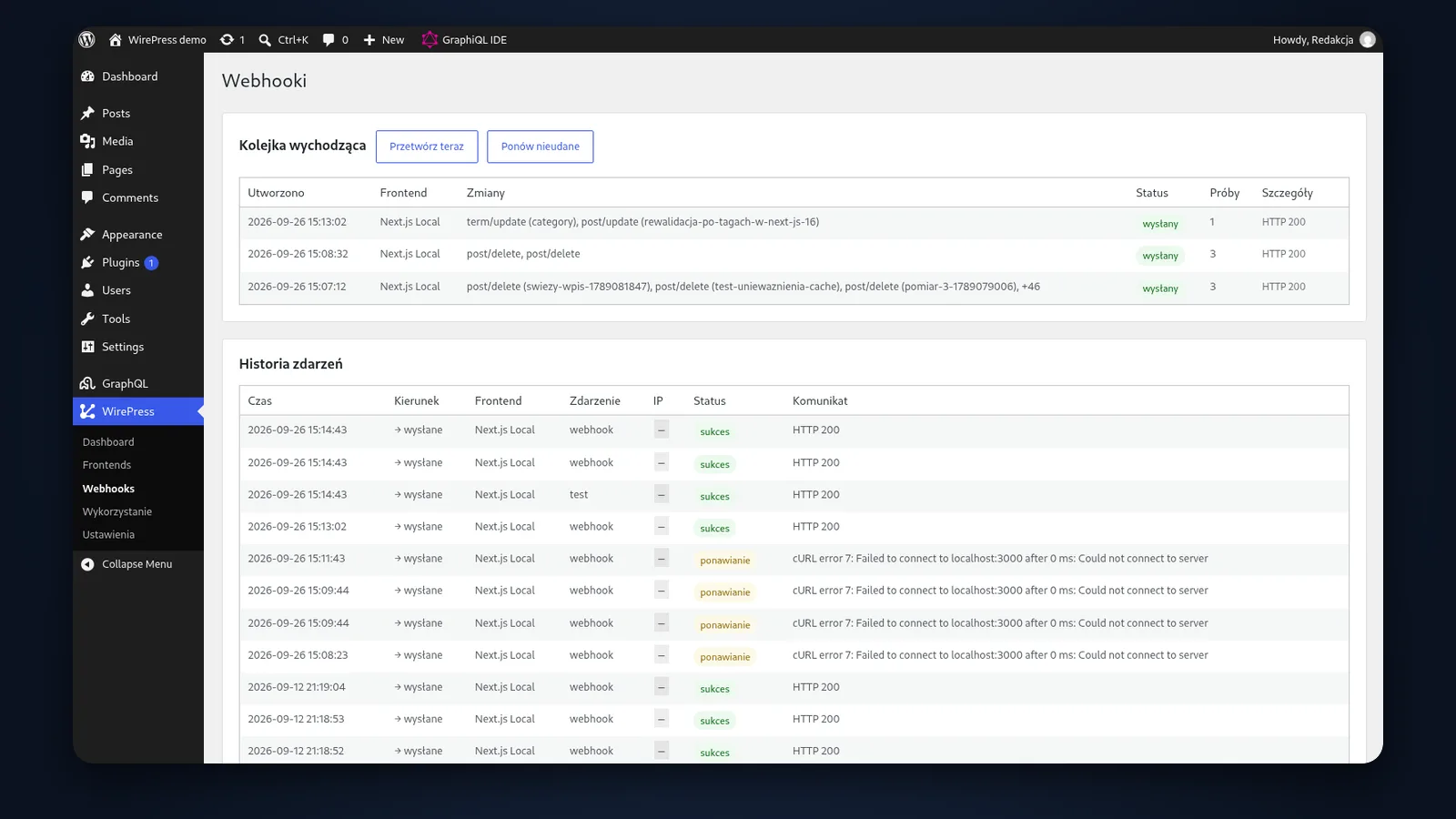
Changes from a single save go into the queue as one payload, and WP-Cron sends them. Failed attempts come back after 1, 5 and 15 minutes; the admin shows the HTTP code and error message, and “Retry” sends it again.
03
Ready-made paths and cache tags
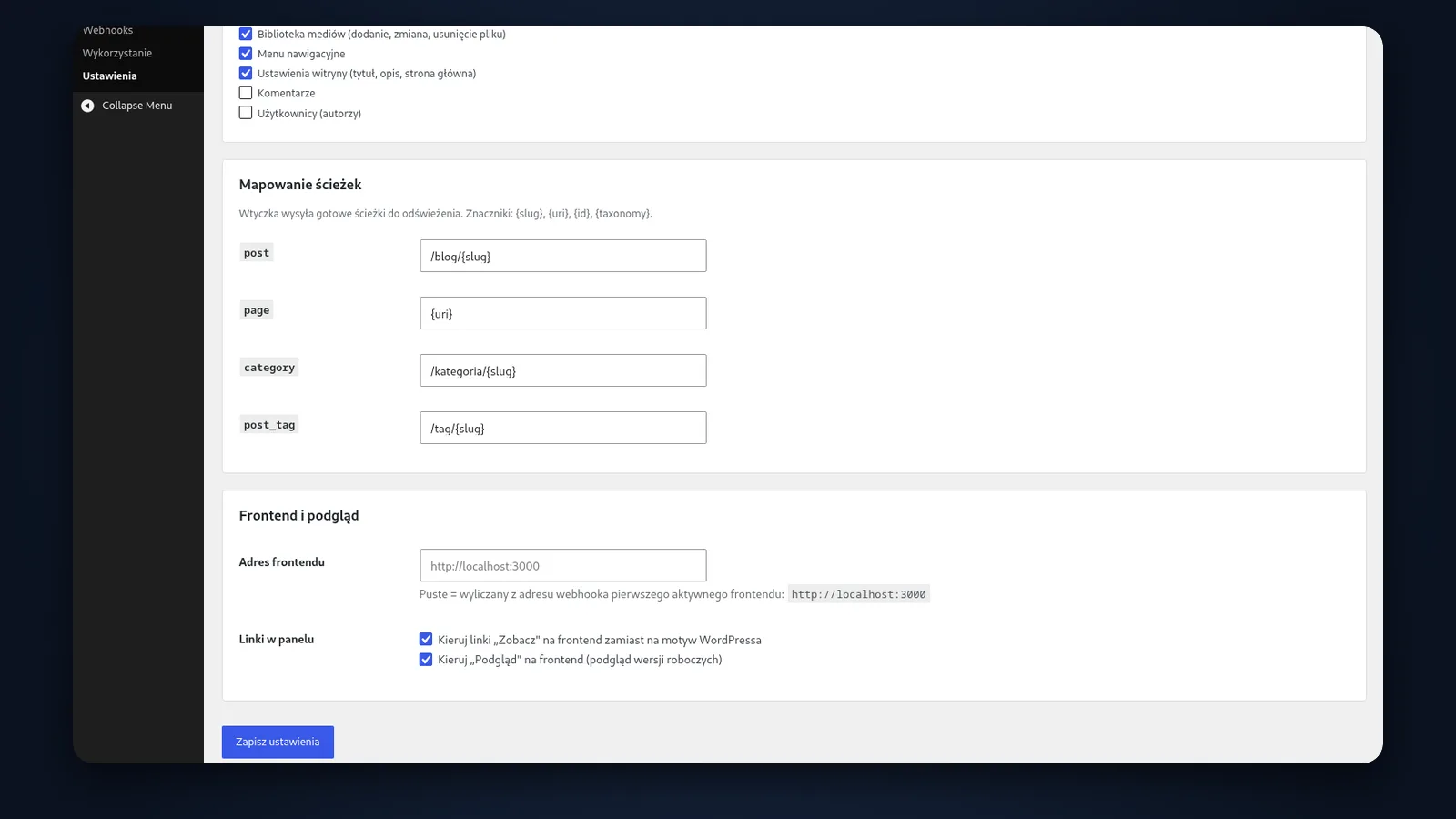
Templates such as /blog/{slug} turn a change into specific URLs to refresh. The front end maps nothing — it checks the HMAC signature and calls revalidatePath and revalidateTag.
04
A GraphQL cache that answers before WordPress boots
An advanced-cache.php drop-in answers repeated queries from a file and ends the request before the core starts. It skips logged-in users, mutations and error responses, and writes are atomic. Result: 230 ms → 7 ms.
05
Draft previews on the front end
The “Preview” button opens Next.js with unpublished content in the real template, without JWT or application passwords. The token is valid for an hour, and the preview page is noindex.